
Introducing Application Insights: Know Your Fit Before You Apply

Joe Ribaudo
Share this article
Most job seekers apply to a role, cross their fingers, and wait. The ones who get callbacks know exactly why they're a fit, and they've done the work to prove it. That's what this update is about.
Today we've shipped some big changes to Accolade, with the goal of helping you be more prepared when applying to that next role.
- A redesigned Application Tracker
- A brand new Pro feature called Application Insights
- A dashboard calendar that shows everything happening in your career — wins and applications together, week by week
- A smarter, cleaner Review Assistant experience
The calendar
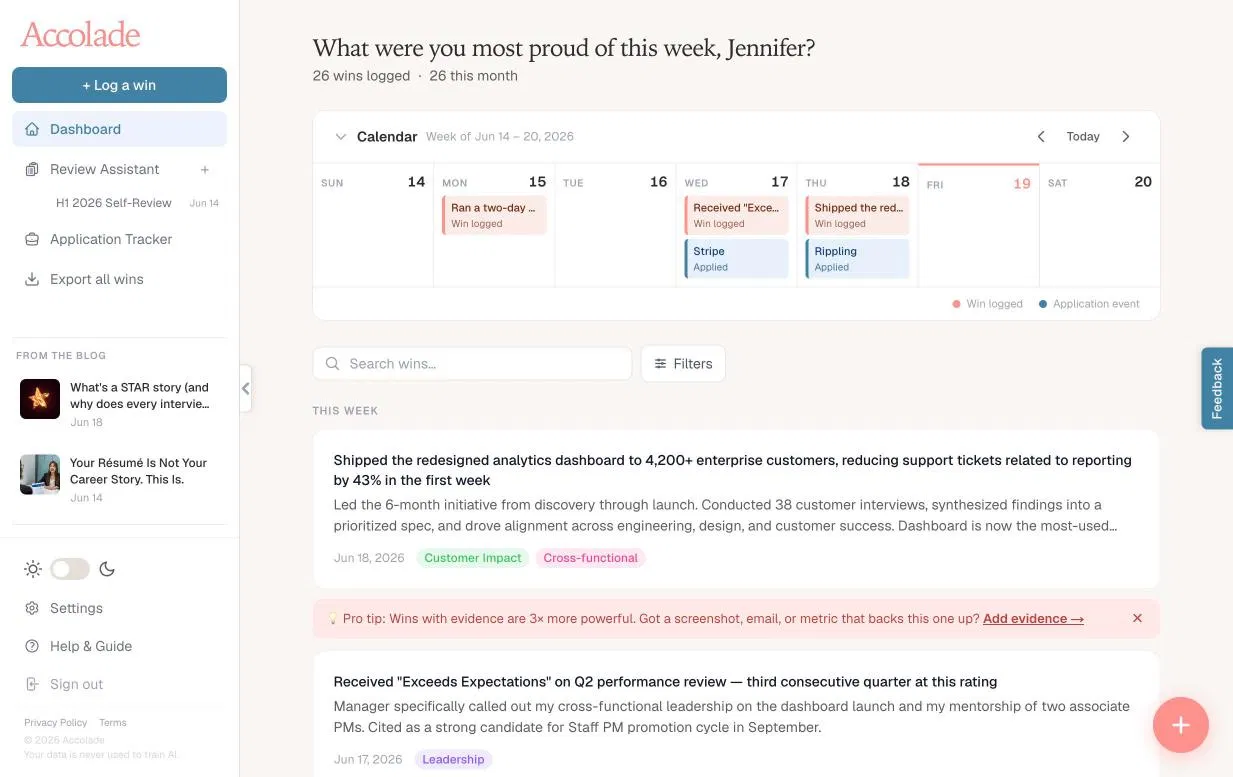
Your dashboard and your Application Tracker now both open with a weekly calendar at the top. Every win you log shows up in coral. Every application milestone — applied dates, phone screens, interviews, final rounds — shows up there.
Seeing your wins and your job search activity side by side, in the same week view, changes how you think about the work you're doing. You can click anything on the calendar to go straight to that win or application.
On mobile, the calendar shows three days centered on today. On desktop, it's the full week, Sunday through Saturday.
Redesigned Application Tracker
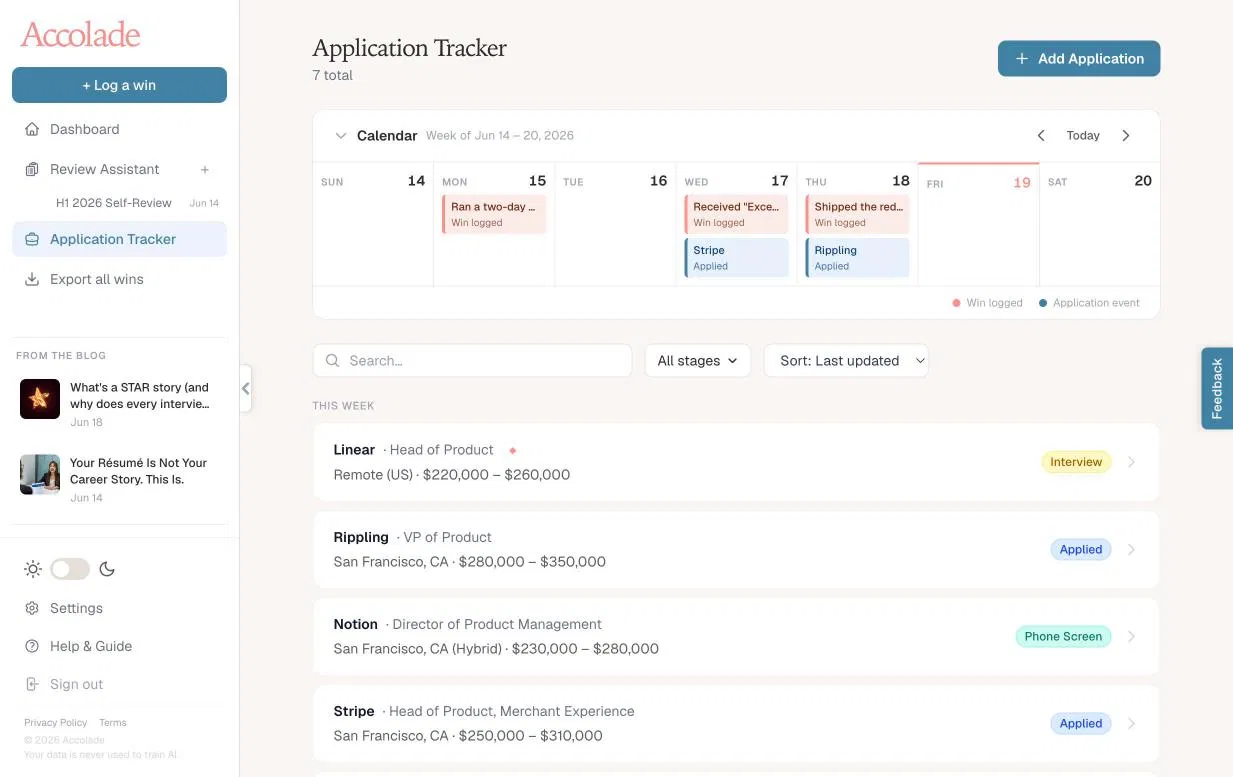
The Application Tracker has been rebuilt from the ground up. You still paste a job URL and Accolade extracts the details — company, role, location, salary, job description. But now everything that matters is visible without digging.
A sticky sidebar keeps the company summary, your applied date, and your notes always in view as you navigate the tabs. The stage progression is a clickable list — tap any stage to move your application there instantly. Saved. Applied. Phone Screen. Interview. Final Round. Offer. Accepted. And two new ones we added because they needed to exist: Rejected and Ghosted.
The applications list is now grouped by time period — This Week, Last Week, Last Month, Older — so you can orient yourself at a glance rather than hunting through a flat list.
New: Application Insights
This is the part that changes how you prepare.
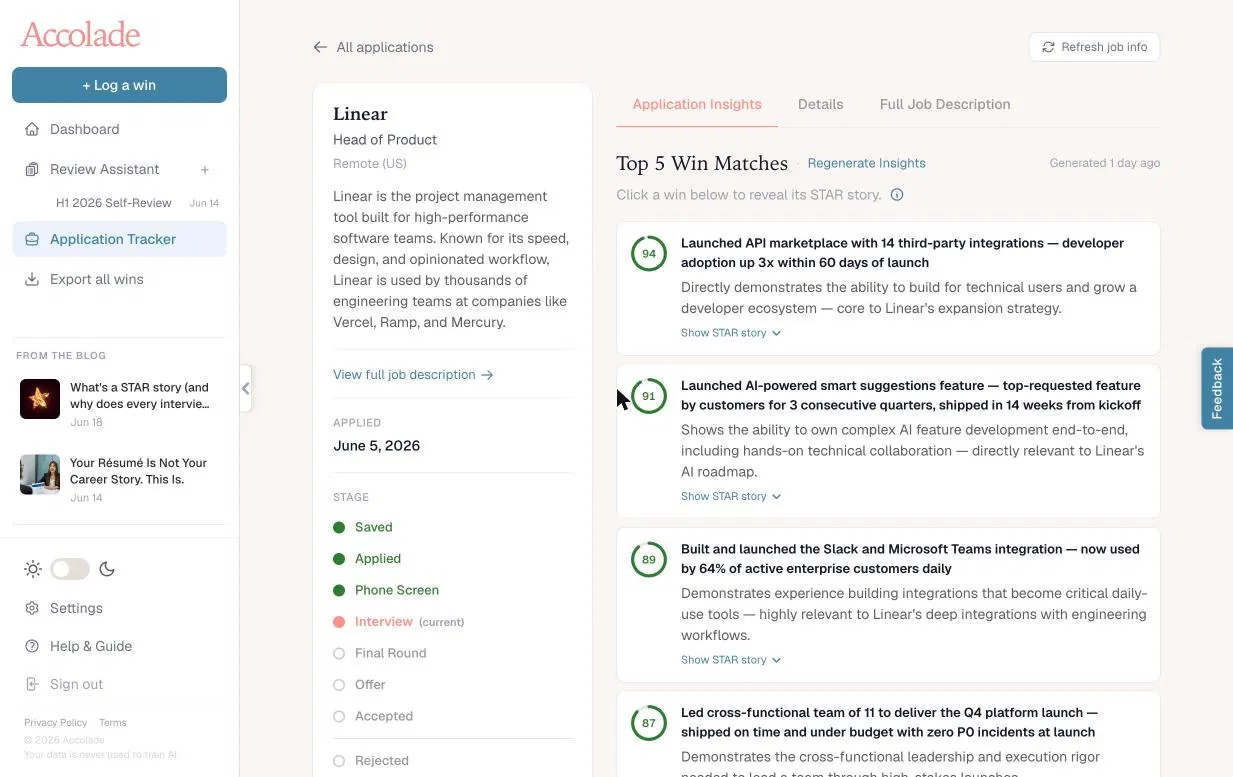
Once you've added a job, you can generate Application Insights, a new Pro feature that reads the full job description and cross-references it against every win you've logged in Accolade. It returns four things.
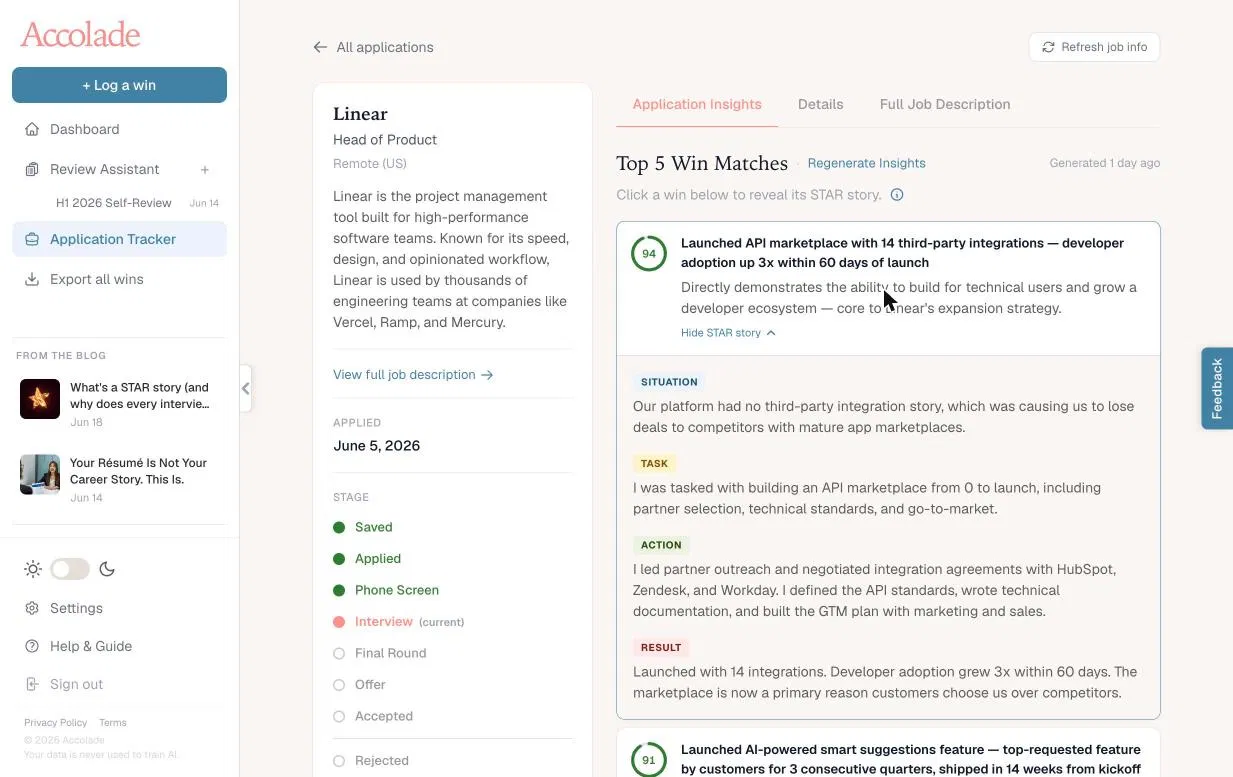
Top 5 Win Matches. The wins from your archive that most closely align with what the role is asking for, ranked by match score. Each one shows exactly why it's relevant — not a generic summary, but a specific explanation tied to the language in the job description. Click any win to reveal its STAR story: Situation, Task, Action, Result — ready to use in an interview.
Tailored résumé bullets. Four bullets rewritten to match the job description's language and keywords. Copy and paste them directly into your résumé. They're grounded in your actual wins — Accolade doesn't fabricate metrics or claims.
A cover letter draft. Short, direct, and written to sound like a person wrote it. Under 200 words. Opens with a specific observation about the role, builds through two or three of your strongest wins, closes cleanly. Use it as a starting point or send it as-is.
Gap analysis. This is the honest part. Based on your logged wins, here are the areas where your documented experience doesn't fully address what the role requires — with a specific suggestion for how to address each gap before the interview. No education gaps, no generic advice — just the real delta between your receipts and their requirements.
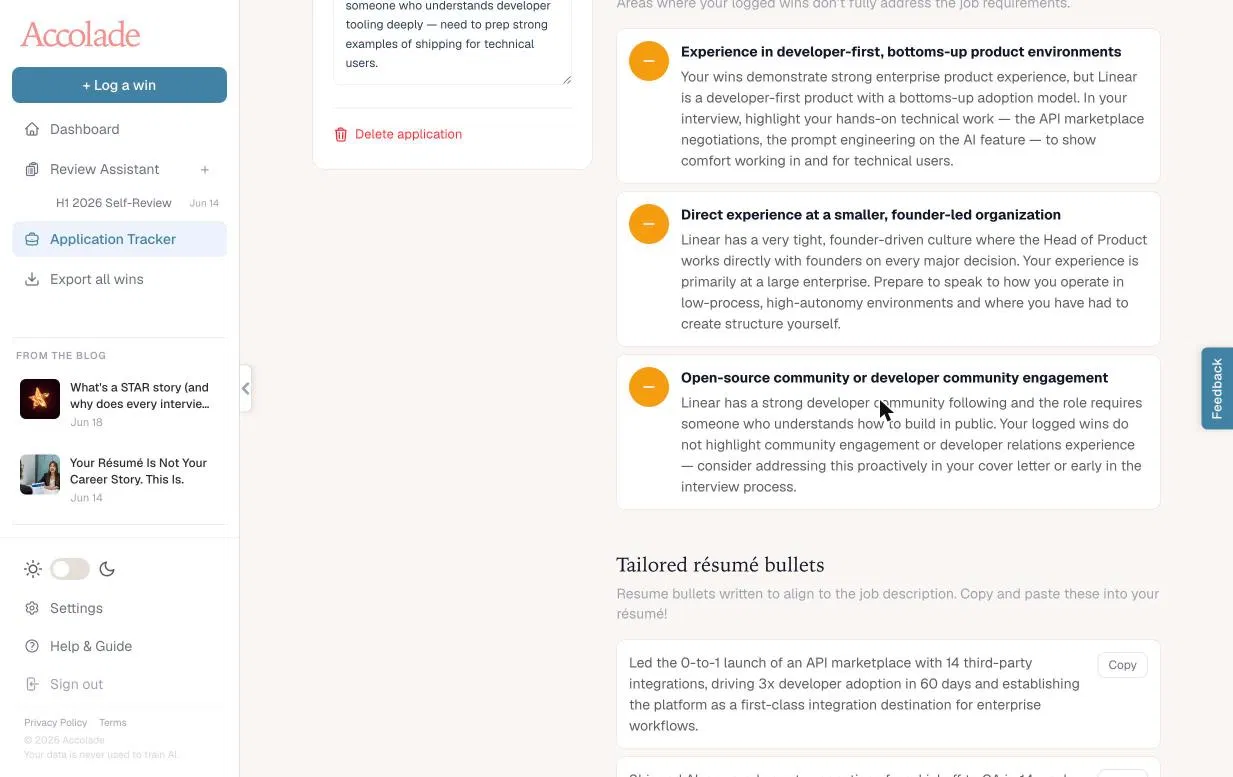
All of it generated from your actual career history. All of it specific to the role you're pursuing.
Review Assistant
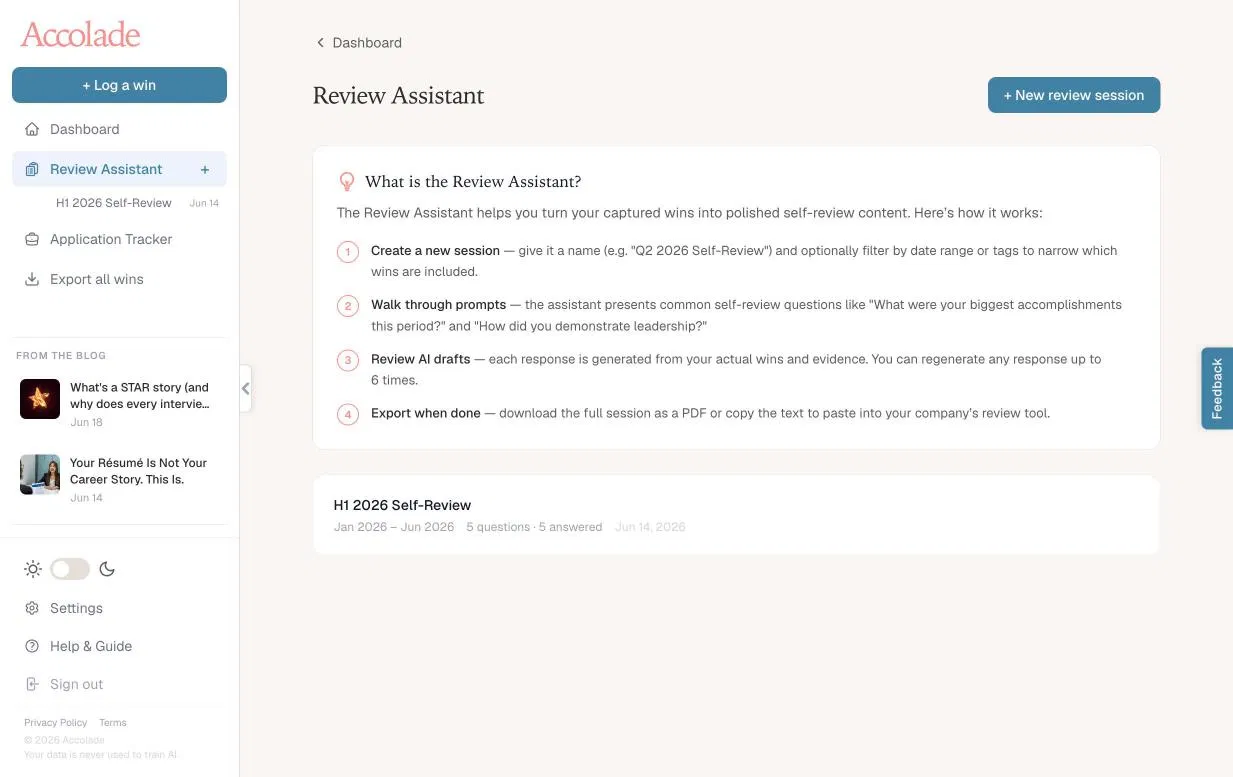
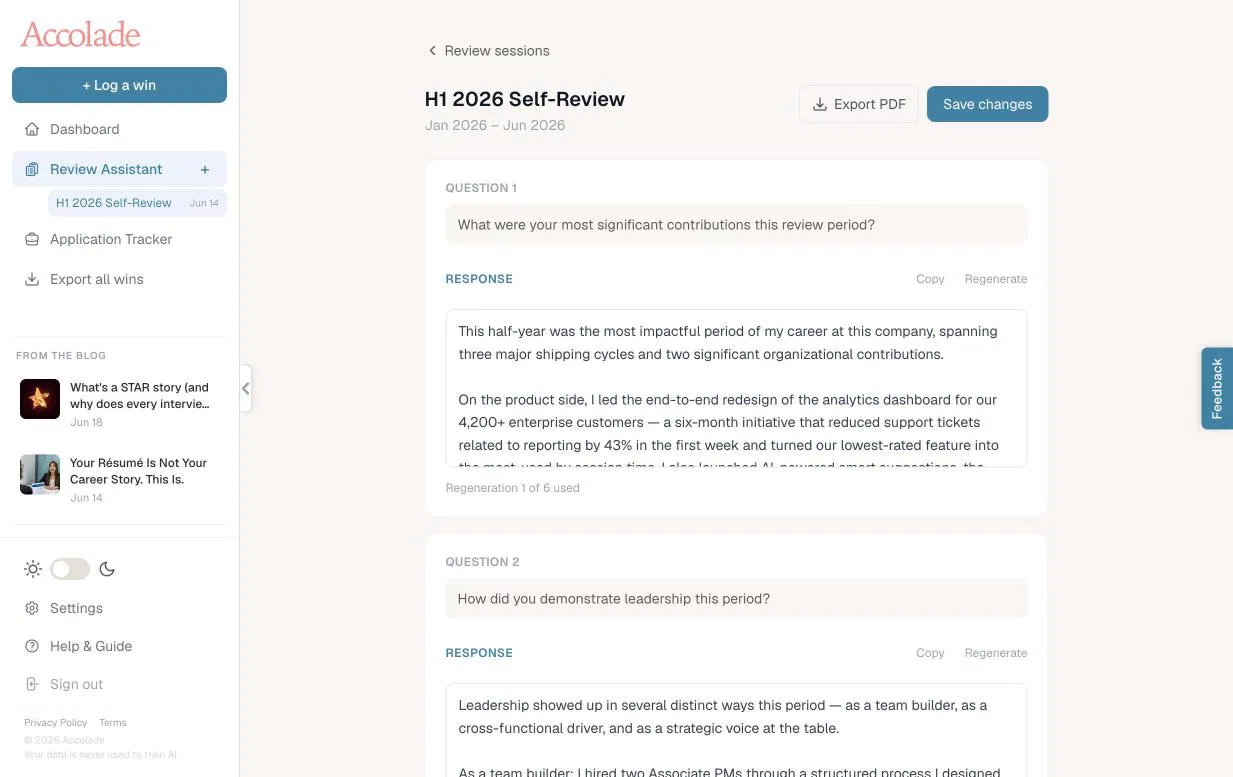
The Review Assistant has been here since launch, but we've made it easier to understand. When you open it for the first time, you'll see a clear breakdown of how it works: create a session (a 1:1, a quarterly, or annual review) walk through common self-review questions, review the AI-drafted responses (grounded in your logged wins), and export when you're done.
Sessions are date-ranged, so you can focus the AI on a specific review period. If you're heading into a performance review cycle, this is the fastest way to turn what you've been doing all year into polished self-review content.
Application Insights is a Pro feature
Generating Insights uses AI credits but doesn't count against your monthly AI output limit. Run it on as many applications as you want. If you're on the free plan and actively job searching, this is the reason to upgrade!
Share this article
About the author
Joe Ribaudo
Dad, Husband, and Founder
Joe Ribaudo spent 25+ years in marketing leadership before turning his attention to a problem he saw everywhere: talented professionals doing great work and still getting overlooked. As the founder of Accolade, he writes about career growth, self-advocacy, and the habits that separate the professionals who advance from the ones who wonder why they didn't.
More from Accolade
- How to Advocate for Yourself Without Feeling Like You're BraggingSep 16, 2026
- Job Searching from Scratch Is a Tax on People Who Didn't Keep RecordsSep 14, 2026
- What a Promotion Committee Actually Wants to See (And Why Most People Get It Wrong)Sep 2, 2026
- The Receipt: Week of August 14, 2026Aug 14, 2026
- The Receipt: Week of July 31, 2026Jul 31, 2026
Built for professionals like you
Accolade is the always-current record of your professional impact. Capture wins in 20 seconds, attach proof, and turn your work into résumé bullets, self-reviews, and interview stories — exactly when you need them.
Sign up free